9. Make it a wardrobe look
The game has a Cosmetics window (the hanger icon on the character panel). Wear one armor for the stats, show another on top. It's the nicest way to ship an outfit: people keep their steel armor and still get to wear your cat shirt.
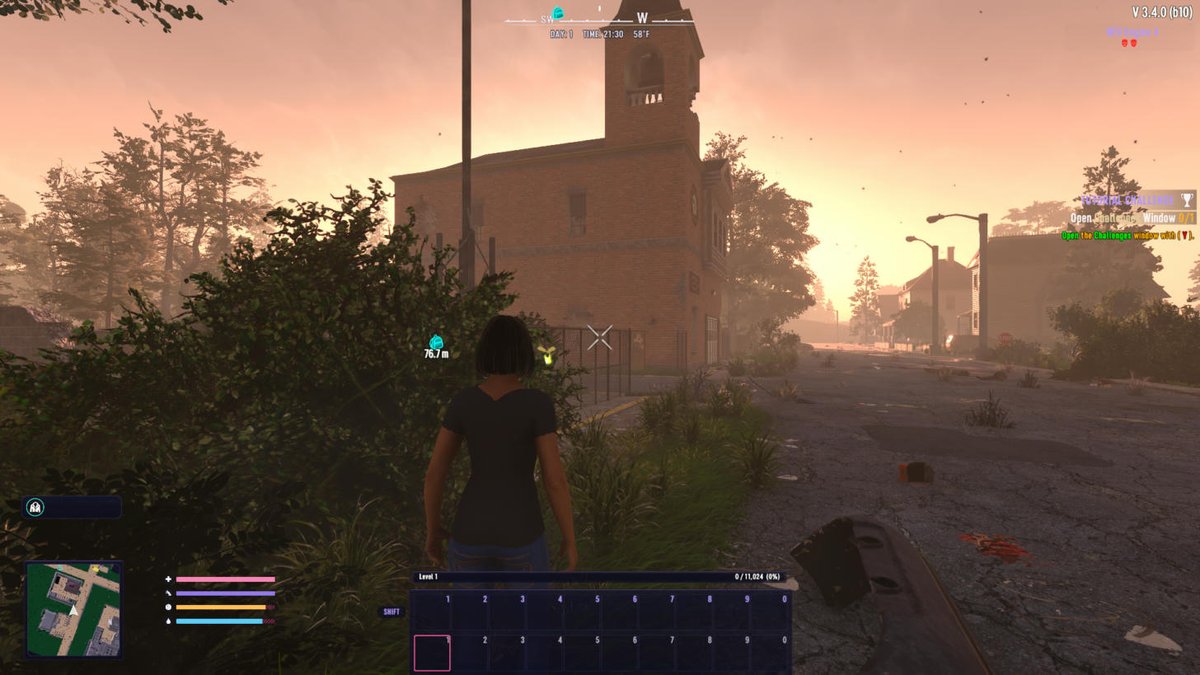
Getting a mod item in there takes a DLL. A small one, about 50 lines. Here's why it can't be done with XML.
How the wardrobe decides
- Listing. The window lists armor items with
IsCosmetictrue for the selected slot.IsCosmeticdefaults to true, so your tee is already in the list. Easy part. - Unlocking. A look can only be applied once the player has unlocked it. For a mod item that means scrapping one (in the backpack, or at a workstation). The game calls its unlock on scrap, and that's the only place it does.
- The mapping. Unlocking only works for item names in the game's cosmetic mapping, a table of names to numeric ids. The ids are what get saved in the player's file. And that table is built in code, in
Equipment.SetupCosmeticMapping, which clears it and refills it with the vanilla ids every time items load.
No XML touches that table. So the tee shows in the list, but scrapping it unlocks nothing, and Apply Cosmetic stays grey forever.
The patch
A Harmony postfix on SetupCosmeticMapping adds our rows right after the game builds the table:
using HarmonyLib;

public class KitsuneTeeMod : IModApi
{
    public void InitMod(Mod _modInstance)
    {
        new Harmony("com.kitsuneden.kitsunetee").PatchAll(typeof(KitsuneTeeMod).Assembly);
        Log.Out("[KitsuneTee] cosmetic mapping patch ready");
    }
}

[HarmonyPatch(typeof(Equipment), nameof(Equipment.SetupCosmeticMapping))]
public static class KitsuneTeeCosmeticMapping
{
    // Far from the vanilla ids (1 to 158, 1015 to 1017) and, we hope, from other mods'.
    private static readonly (int id, string name)[] Looks =
    {
        (7461001, "kitsuneTee"),
        (7461002, "kitsuneTeeJeans"),
    };

    public static void Postfix()
    {
        foreach (var (id, name) in Looks)
        {
            if (Equipment.CosmeticMappingStringID.TryGetValue(name, out int had))
            {
                if (had != id) Log.Warning($"[KitsuneTee] '{name}' is already a cosmetic with id {had}; leaving it");
                continue;
            }
            if (Equipment.CosmeticMappingIDString.TryGetValue(id, out string taken))
            {
                Log.Error($"[KitsuneTee] cosmetic id {id} is already used by '{taken}'; '{name}' is not a wardrobe look");
                continue;
            }
            Equipment.AddCosmeticMapping(id, name);
        }
        Log.Out("[KitsuneTee] wardrobe looks mapped: kitsuneTee, kitsuneTeeJeans");
    }
}
:::danger Pick your ids once The ids end up in player saves (both the worn look and the unlocked list). Never change them and never reuse them. Pick numbers far away from vanilla's (1 to 158, plus 1015 to 1017 on V3.4) and from anything another mod might plausibly pick. We used 7461xxx. :::
Building it
The project targets .NET Framework 4.8 and references the game's own DLLs. Harmony comes from NuGet for compiling only; at runtime the game supplies its own.
<Project Sdk="Microsoft.NET.Sdk">
  <PropertyGroup>
    <TargetFramework>net48</TargetFramework>
    <AssemblyName>KitsuneTee</AssemblyName>
    <OutputPath>..\KitsuneTee\</OutputPath>
    <AppendTargetFrameworkToOutputPath>false</AppendTargetFrameworkToOutputPath>
    <SdtdPath Condition="'$(SdtdPath)' == ''">C:\Program Files (x86)\Steam\steamapps\common\7 Days To Die</SdtdPath>
    <SdtdManaged>$(SdtdPath)\7DaysToDie_Data\Managed</SdtdManaged>
  </PropertyGroup>
  <ItemGroup>
    <Reference Include="Assembly-CSharp"><HintPath>$(SdtdManaged)\Assembly-CSharp.dll</HintPath><Private>false</Private></Reference>
    <Reference Include="LogLibrary"><HintPath>$(SdtdManaged)\LogLibrary.dll</HintPath><Private>false</Private></Reference>
    <Reference Include="UnityEngine.CoreModule"><HintPath>$(SdtdManaged)\UnityEngine.CoreModule.dll</HintPath><Private>false</Private></Reference>
  </ItemGroup>
  <ItemGroup>
    <PackageReference Include="Lib.Harmony" Version="2.3.3">
      <PrivateAssets>all</PrivateAssets>
      <ExcludeAssets>runtime</ExcludeAssets>
    </PackageReference>
  </ItemGroup>
</Project>
dotnet build -c Release /p:SdtdPath="D:\Games\7 Days To Die"
Private=false keeps the game's DLLs out of your mod folder. The build writes KitsuneTee.dll straight into the mod.
After a restart the log should show, right after the mod loads:
Loaded Mod: KitsuneTee (0.0.8)
[KitsuneTee] cosmetic mapping patch ready
[KitsuneTee] wardrobe looks mapped: kitsuneTee, kitsuneTeeJeans
Using it in game
- Scrap one copy (backpack, or a workstation). That unlocks the look for this player.
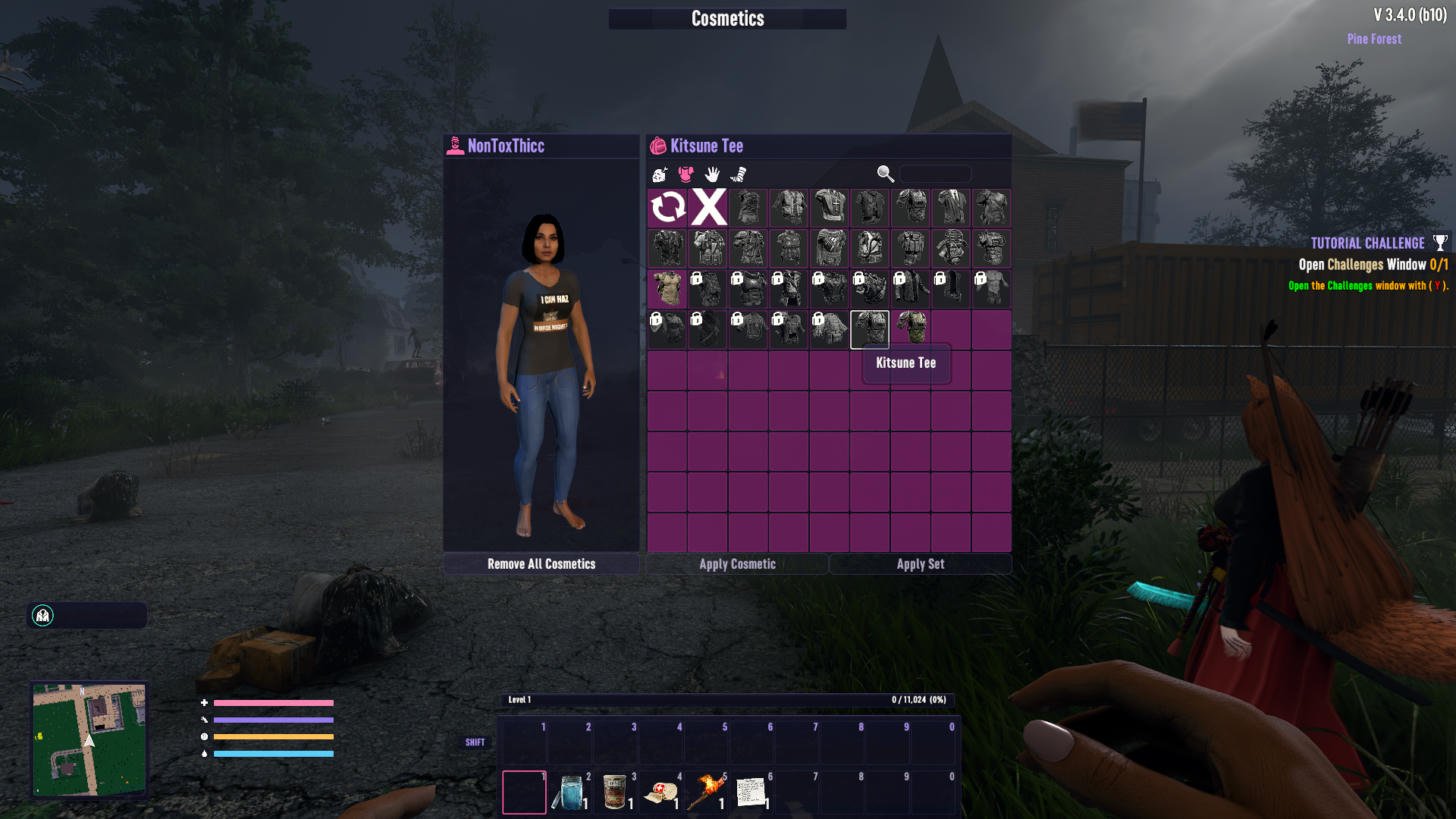
- Open Cosmetics, Chest tab, pick Kitsune Tee and Jeans, Apply Cosmetic.
- Wear whatever chest armor you like. The doll and the world show the tee. The armor, durability and mods are the worn item's.
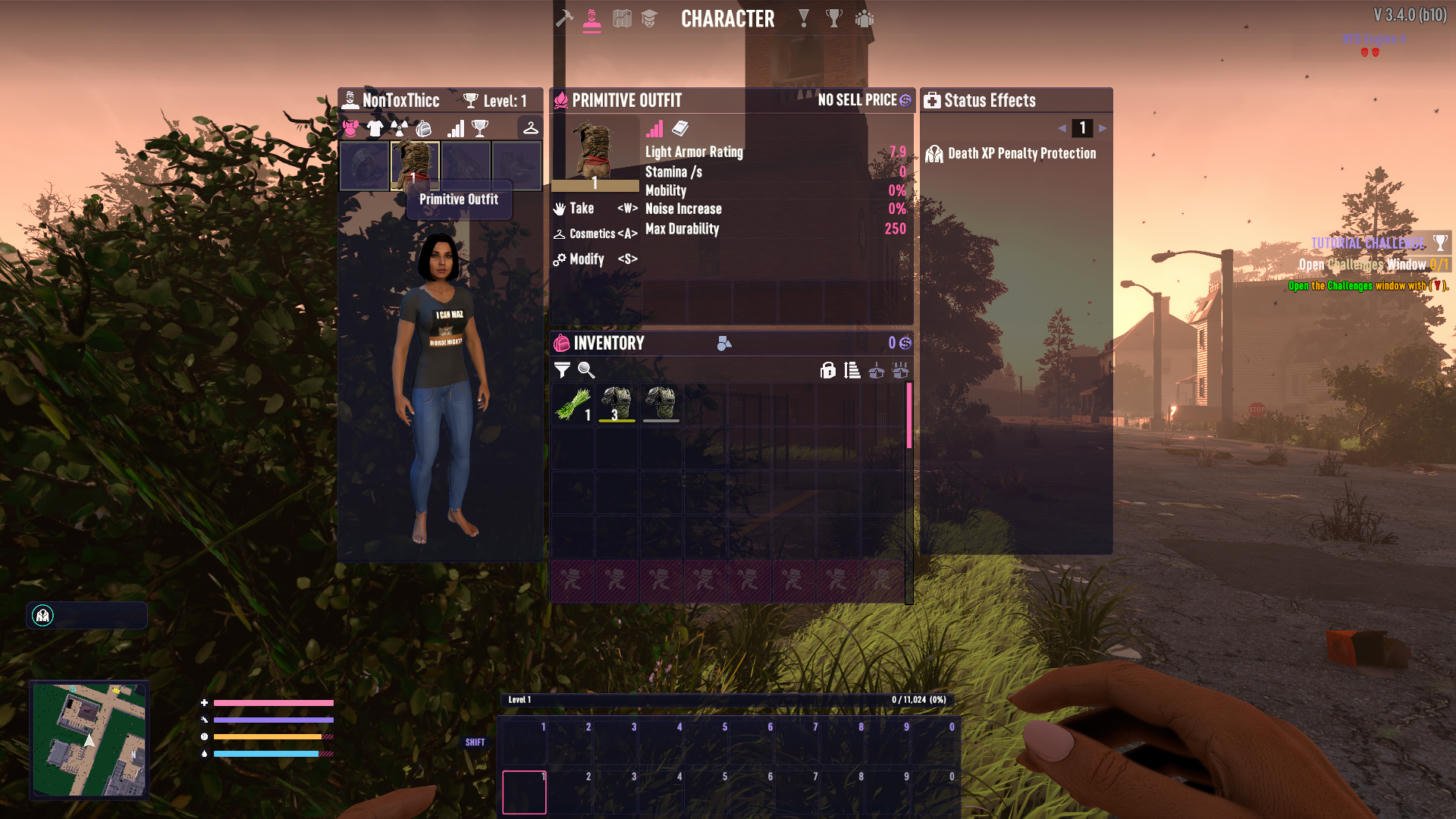
Each item unlocks on its own. Scrap the tee-and-jeans and the tee alone stays locked: a grey icon with no padlock (the padlocks are on vanilla looks), and Apply Cosmetic does nothing.
:::note EAC A mod with a DLL needs EasyAntiCheat off, for players and servers alike. That's the price of the wardrobe. Without the DLL, the tee still works as a normal wearable item. :::